Short version: An enterprise web application is browser-based software that runs core business operations for a large organization. It serves many users, connects to other systems, and handles high data volumes with strict security. Think internal portals, dashboards, and customer platforms, not a marketing site.
An enterprise web application is software you run in a browser that powers the day-to-day operations of a business rather than only its public presence. It supports hundreds or thousands of users at once, connects to systems like a CRM or ERP, processes large volumes of data, and holds up under security and compliance rules that a brochure website never faces.
We build these at FNA Technology. Over 100 projects across India, the US, Singapore, the UK, and the GCC, we have shipped delivery-operations portals, internal admin dashboards, and customer-facing marketplaces, mostly on a Next.js, React, and Node.js stack. The examples below come from that work, so you can see what one of these actually looks like rather than read another textbook definition.
Last updated: 19 June 2026.
What is an enterprise web application?
An enterprise web application is a web-based system built to manage and automate the core processes of a large organization. It runs in a standard browser, so users do not download or install anything, and it is designed around four traits: many concurrent users, deep integration with other business systems, large-scale data handling, and security strong enough for regulated industries.
The word "enterprise" is doing real work here. A small contact form is a web app. An order-management platform that 400 warehouse staff use across six locations, pulls live inventory from an ERP, and logs every transaction for an audit trail is an enterprise web application. The difference is scale, reliability, and the cost of failure.
A simple test: if the value is in reading the page, it is a website. If the value is in doing the work of the business, and the business stops when it goes down, it is an enterprise web application.
How is an enterprise web application different from a regular website?
A regular website informs. An enterprise web application performs tasks. That is the core split, and it changes almost every engineering decision underneath.
A marketing website delivers content one way: the visitor reads, watches, and clicks. An enterprise web application is two-way and stateful. Users sign in, enter data, change records, trigger workflows, and rely on the system being correct every single time. Because of that, an enterprise build carries requirements a website does not: role-based access control, audit logging, integration with internal systems, uptime targets, and a data model that stays consistent under load.
The same gap separates enterprise apps from smaller consumer web apps. A consumer app might serve a single, simple job for one type of user. An enterprise app usually serves several departments, several user roles, and a tangle of business rules that are specific to one organization.
How is an enterprise web app different from a website and a SaaS product?
The three sit on a spectrum from "informs you" to "runs your business" to "rented for everyone." Here is how they compare on the decisions that matter when you are choosing what to build.
| Dimension | Regular website | Enterprise web application | Off-the-shelf SaaS product |
|---|---|---|---|
| Primary job | Deliver information | Run core business processes | Solve a common problem for many companies |
| Users | Anonymous visitors | Authenticated staff and customers, many roles | Subscribers across many businesses |
| Fit to your process | Generic templates | Built around your exact workflow | You adapt your workflow to the product |
| Integrations | Few or none | Deep links to ERP, CRM, payment, internal tools | Limited to the connectors the vendor ships |
| Data and scale | Light, mostly read | Large volumes, high transaction rate | Shared multi-tenant infrastructure |
| Ownership | You own the content | You own the code and the asset | You rent access; the vendor owns the code |
| Security and compliance | Basic | Your own controls, audit trails, regulated-grade | The vendor's controls, shared with all tenants |
SaaS is fast and cheap to start. An enterprise web application costs more upfront and takes longer, and in return it fits your business exactly, integrates with what you already run, and becomes a company asset you control.
What are the core characteristics of an enterprise web application?
Five traits show up in almost every enterprise build, and they are what push the cost and timeline above a standard project.
Built for many users at once. The system has to stay fast when hundreds of people hit it together, which drives choices about architecture, caching, and how the database is structured.
Deep integration with other systems. An enterprise app rarely lives alone. It reads and writes to an ERP, a CRM, a payment gateway, or a legacy internal tool, and it becomes the single source of truth that ties them together.
Security and compliance by default. Role-based access control, encryption of sensitive data, audit logging, and alignment with standards such as GDPR or ISO 27001 are designed in from day one, not bolted on. They are mandatory in finance and healthcare and increasingly expected everywhere.
High availability. When the app is down, the business stops. Uptime targets, monitoring, and the ability to recover quickly are first-class requirements.
Customization. Enterprise apps are shaped around one organization's specific rules, which is exactly why off-the-shelf software often cannot replace them.
What are real examples of enterprise web applications?
The category covers a wide range. The common pattern is software that a large team depends on to do real work. Here are the types we build most often at FNA, with a concrete shape for each so the idea stays grounded.
Operations and delivery portals
A logistics or field-service business needs every order, route, and status in one place. We built a delivery-operations platform this way: orders flow in, staff manage fulfilment and routing from a single dashboard, and the state stays consistent across everyone using it at the same time. This is the classic operations-portal shape, an internal ERP-style tool that replaces a stack of spreadsheets and disconnected apps.
Internal admin dashboards
Most enterprise apps include an admin layer where managers see live data and act on it. Pilot Compass, a system we built, centers on this: role-based views, real-time reporting, and controls that change records directly rather than exporting to another tool. A good dashboard turns scattered data into decisions, with access scoped to who is allowed to see and do what.
Customer-facing platforms and marketplaces
Some enterprise apps are the product itself. Akeed and Homento are platforms we shipped where the web application is how customers and providers transact, browse, book, and pay. These are multi-sided systems: large user bases, payment flows, and integrations with booking and provider systems, all of which put them firmly in enterprise territory.
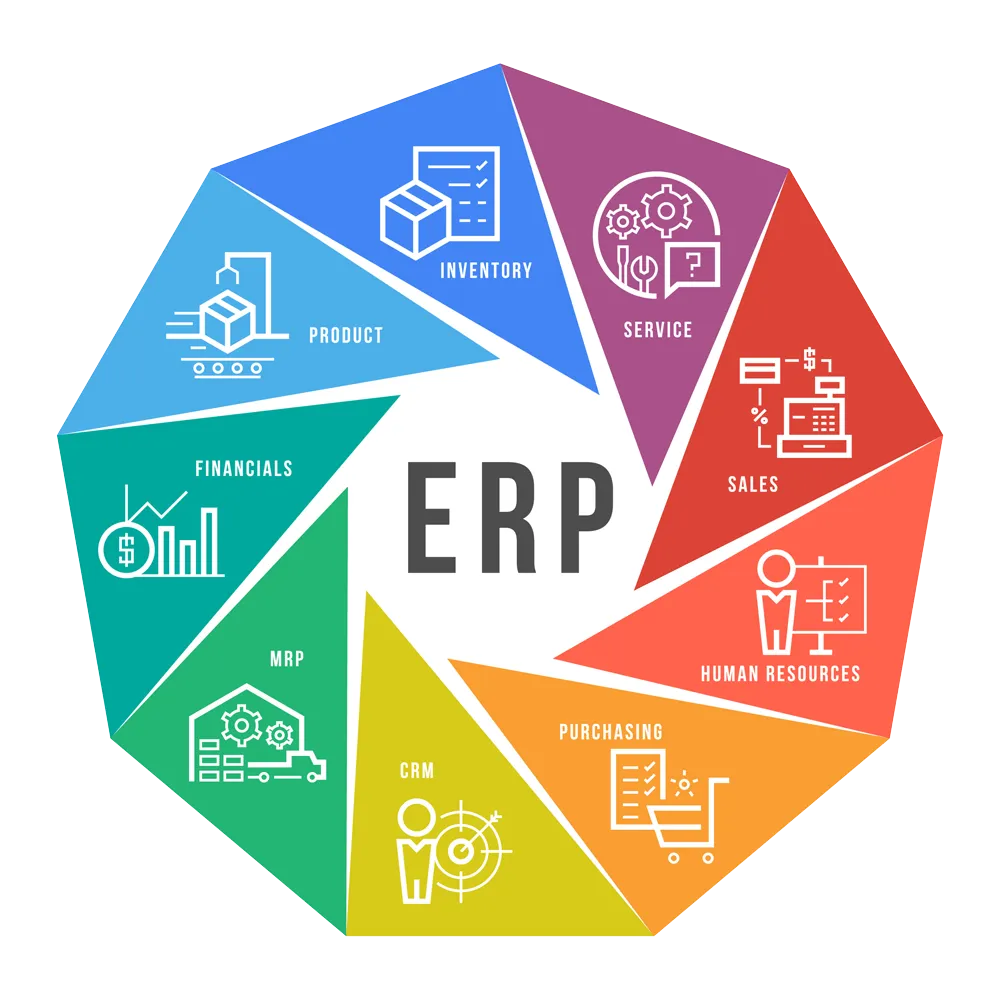
CRM, ERP, HRMS, and BI systems
The textbook examples still hold. Customer relationship management platforms track sales pipelines and customer history. Enterprise resource planning systems join finance, procurement, and operations. Human resource management systems run payroll and recruitment. Business intelligence tools turn raw data into dashboards leaders act on. Each one is an enterprise web application, and most large organizations run several at once.
What technologies are used to build enterprise web applications?
The stack varies, but the shape is consistent: a fast front end, a server layer that holds the business logic, a database sized for the data, and cloud infrastructure that can scale.
On the front end, React, Next.js, Angular, and Vue.js build the interactive, role-aware interfaces these apps need. On the server, Node.js, Java, .NET, and Python carry the logic and talk to data. Databases such as PostgreSQL, MySQL, and MongoDB store it. Cloud platforms (AWS, Microsoft Azure, Google Cloud) provide the infrastructure, and teams often use containers (Docker, Kubernetes) plus a microservices or modular architecture so parts of the system can scale and ship independently.
At FNA we default to Next.js, React, and Node.js because that combination gives us server-rendered performance, a single language across the stack, and a hiring pool deep enough to keep an app maintainable for years. The right stack for you depends on your existing systems and your team, not on a trend.
How do you build an enterprise web application?
The process is structured because the stakes are high. Skipping the early steps is the most common reason these projects overrun.
- Discovery and requirements. Define the problem, the users and their roles, the business goals, and the must-have features for a first release. This is where most projects are won or lost.
- Architecture and design. Decide the stack, the data model, the integration points, and the security model. Design the screens and the user flows before code is written.
- Development. Build the front end, the server logic, and the integrations, usually in short iterative cycles (an Agile approach) so you can see and correct the system as it grows.
- Testing and quality assurance. Check that every feature works, that it stays fast under load, and that it is secure against common attacks.
- Deployment. Move the app to a live, scalable environment, typically on the cloud.
- Maintenance and iteration. Patch security, fix bugs, and add features. An enterprise app is a living asset, not a one-time delivery, and a sensible rule of thumb is to budget meaningfully for support each year after launch.
What should you look for in an enterprise web app development partner?
Because the app has to last years and stay secure, who builds it matters as much as what gets built. A few signals separate a partner from a vendor.
Look for relevant shipped work, beyond a portfolio of marketing sites. Ask to see enterprise apps of similar complexity and whether they integrated with real business systems. Check that they take security seriously from the start: the average cost of a data breach reached about $4.88 million globally in 2024, according to IBM's Cost of a Data Breach Report 2024, so a security-first approach (the OWASP Top Ten, hardened environments, careful secret handling) is not optional. Confirm they document their architecture and decisions, since IT staff turn over and the app needs to outlive any one engineer. And favor a senior team with direct access over layers of account managers and junior churn.
This is the work we do at FNA Technology. We are a senior studio that ships production-grade web apps with clean engineering, transparent delivery, and long-term support, and the case studies above are real systems we built and maintain. If you are weighing a build, that combination of first-hand experience and direct access is the thing worth holding out for, from whoever you choose.
Frequently Asked Questions
Explore Our MVP Development Services